Steam Deck: The Complete In-Depth Guide to Valve’s Powerful Handheld Gaming Device
Hardware News
105 Views

Steam Deck: The Complete In-Depth Guide to Valve’s Powerful Handheld Gaming Device

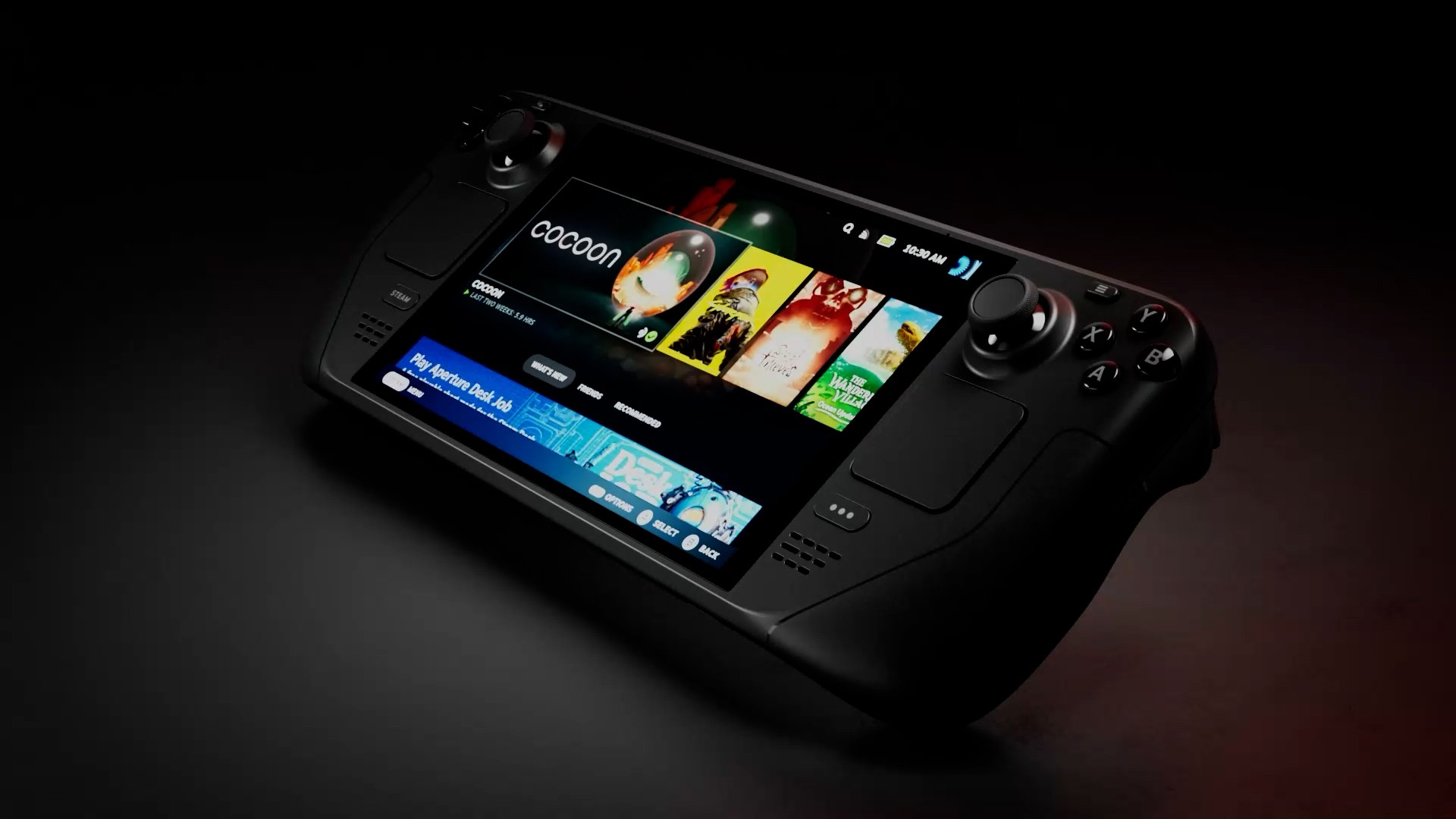
The Steam Deck is one of the most groundbreaking devices in modern gaming. Developed by Valve Corporation, it successfully combines the power of a gaming PC with the portability of a handheld console. Gamers no longer need to sit in front of a desktop or carry a heavy laptop—now they can enjoy their favorite games anywhere with a compact yet powerful device. 🔹 What is Steam Deck? The Steam Deck is a handheld gaming device powered by a Linux-based operating system, providing direct access to the massive Steam library. What makes it truly unique is that it’s more than just a console: It’s not a closed system Supports Windows installation Can be used as a full PC 👉 In short: It’s a real gaming PC in a handheld form. 🔹 Design & User Experience The device is ergonomically designed for long gaming sessions: 7-inch display (7.4-inch in OLED version) Dual analog sticks Full controller buttons (similar to Xbox) Dual trackpads for precision control Customizable back buttons 📌 Despite its relatively large size, it offers excellent comfort and control. 🔹 Technical Specifications Performance & CPU: AMD Zen 2 architecture RDNA 2 GPU Performance comparable to PlayStation 4 Memory: 16GB LPDDR5 RAM Storage: 64GB (eMMC) 256GB / 512GB (SSD) ⭐ 1TB NVMe SSD (OLED version) microSD support 🔥 1TB OLED Version (Best Choice) The 1TB OLED model is the most powerful and refined version: Ultra-fast 1TB NVMe storage Larger OLED display 90Hz refresh rate Wi-Fi 6E support Improved battery life (3–12 hours) Anti-glare screen 👉 Perfect for gamers who want the best possible experience. 🔹 Gaming Performance The Steam Deck can run demanding AAA games such as: Elden Ring Cyberpunk 2077 Red Dead Redemption 2 🎮 Performance depends on: Graphics settings Resolution Power usage Users can also control: FPS limits Graphics quality Battery performance 🔹 Operating System (SteamOS) The device runs on SteamOS, a Linux-based system that offers: A gaming-focused interface Fast and smooth performance Proton support for Windows games 📌 You can also: Install Windows Use desktop mode Run apps like Chrome and Discord 🔹 Use as a PC Steam Deck is not just for gaming: ✔ Web browsing ✔ Watching movies ✔ Programming and work ✔ Office applications With a dock, you can: Connect to an external display Use a keyboard and mouse 👉 It becomes a full desktop PC. 🔹 Pros Full Steam library access 2-in-1 device (gaming + PC) Highly customizable Large storage options Play anywhere 🔹 Cons Limited battery life in heavy games Relatively heavy Requires some technical knowledge Can get warm during long sessions 🔹 Versions Comparison (No Table) Steam Deck versions differ in storage and display: 64GB version: Limited storage, LCD screen, suitable for light users. 256GB version: Balanced option for average users. 512GB version: Better experience with OLED display, ideal for most gamers. ⭐ 1TB OLED version: The best version with maximum storage and premium display, ideal for professionals. 🔹 Is It Worth Buying? ✔ Yes if: You love PC gaming You want a powerful portable device You travel frequently ❌ No if: You need very long battery life You don’t play demanding games 👉 The 1TB OLED version is the best choice for a complete experience. 🔹 Future of Steam Deck Valve Corporation is expected to release a Steam Deck 2 with: Better performance Improved battery Enhanced display 🏁 Conclusion The Steam Deck is more than just a handheld console—it’s a revolutionary gaming platform that brings PC gaming anywhere. ✨ If you want the ultimate experience, the 1TB OLED version is the smartest choice.

Read More
Full Comparison Between Nintendo Switch 1 and Nintendo Switch 2: The Real Difference Between Generations
Hardware News
16 Views

Full Comparison Between Nintendo Switch 1 and Nintendo Switch 2: The Real Difference Between Generations

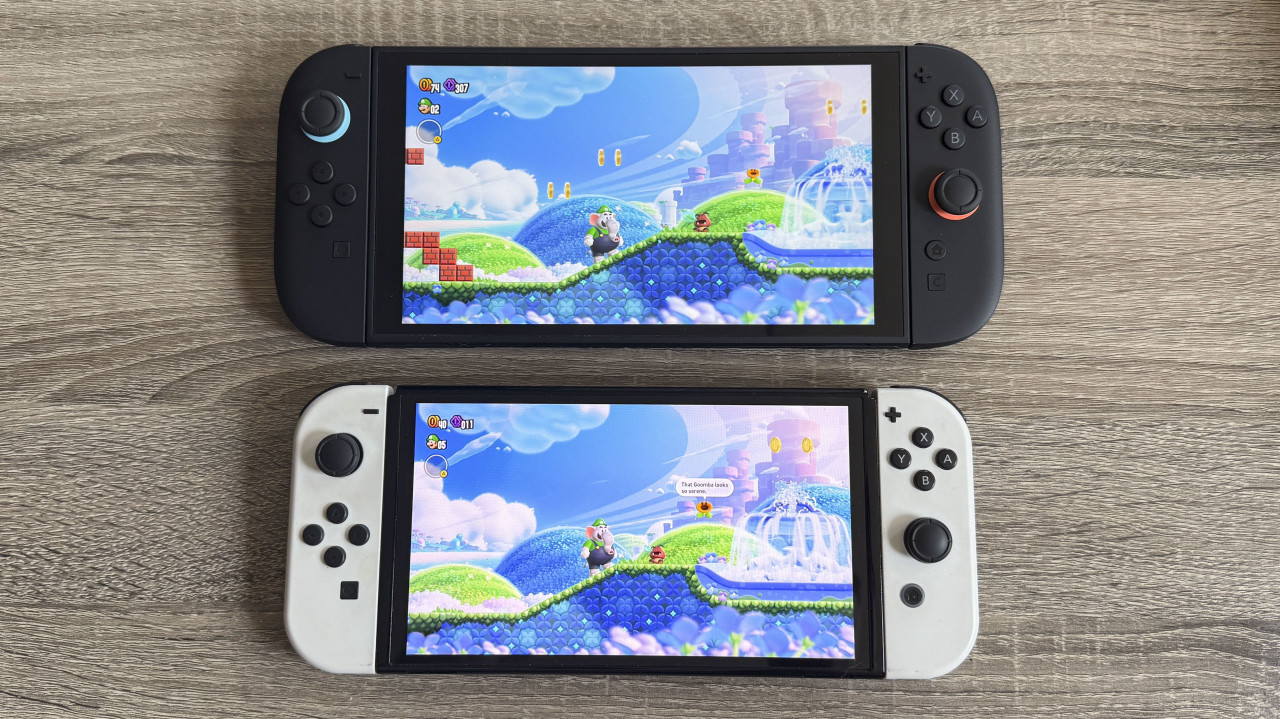
Learn the full differences between Nintendo Switch 1 and Nintendo Switch 2 in performance, display, graphics, specifications, and overall experience. Is the Switch 2 worth upgrading? This article explains everything. 🎮 Introduction The Nintendo Switch family is one of the most successful gaming consoles in the world, thanks to its unique hybrid design that works both as a home console and a portable device. The Nintendo Switch 1, released in 2017, revolutionized gaming, but with the advancement of technology, a more powerful generation was needed — the Nintendo Switch 2. In this article, we compare both devices in terms of performance, hardware, display, gaming experience, and price. ⚙️ Performance and Processor 🎮 Nintendo Switch 1 Powered by the Nvidia Tegra X1 chip, suitable for light and medium games but limited for modern titles. 🚀 Nintendo Switch 2 Comes with a much more powerful modern processor with advanced graphics capabilities and higher performance. 📌 Result: Switch 2 is significantly faster and more powerful. 🖥️ Display and Graphics Switch 1 6.2-inch screen 720p resolution No HDR support Switch 2 Larger and improved display Up to 1080p resolution HDR support for better colors 📌 Result: Switch 2 delivers a much better visual experience. 📺 TV Mode (Dock Mode) Switch 1 Up to 1080p output Switch 2 Supports up to 4K resolution Improved graphics for large screens 📌 Result: Switch 2 is much better for modern TVs. 💾 Storage and Memory Switch 1 32GB storage Requires microSD expansion Switch 2 256GB or more Faster storage performance 📌 Result: Switch 2 offers more convenience and space. 🎮 Controls and Gameplay Switch 1 Traditional Joy-Con controllers Drift issues in some cases Switch 2 Magnetic Joy-Con system Mouse-like control mode Improved haptics and audio 📌 Result: Switch 2 provides a smoother and more modern experience. 🌐 Connectivity and Features Switch 1 Wi-Fi 5 Limited voice features Switch 2 Wi-Fi 6E support Better online gaming performance Improved voice chat and communication 💰 Price Switch 1: cheaper and budget-friendly Switch 2: more expensive but offers much higher value 🏆 Conclusion ✔ Choose Nintendo Switch 1 if: You are on a budget You play casual or older games You don’t need high graphics ✔ Choose Nintendo Switch 2 if: You want the best performance You care about modern graphics You use a 4K TV 🔥 Final Verdict The Nintendo Switch 2 is not just an upgrade — it is a major leap forward in handheld gaming technology, while the Switch 1 remains a good budget option.

Read More